
A capital-equipment builder quoted a serious enquiry in March. The customer was genuinely interested, but had a budget cycle, an internal approval, and a plant shutdown to work around — the decision would not come until August. In a well-run business that quote gets a gentle touch every few weeks and closes in the autumn. In most businesses, it is sent, the salesperson moves to the next fire, and by August the customer has bought from the supplier who stayed in touch. The deal was never lost to price. It was lost to silence. This guide is about the structure that prevents that.
Long B2B cycles are unforgiving of memory. A sale that runs months across many touches, many contacts and several open documents cannot be carried in one salesperson's head — and it certainly cannot survive that person being on leave. The answer is not a heroic effort to remember more; it is a system that remembers for you. Throughout, the worked example is Fast CRM Software, the sales front end of the Fast Suite, used by manufacturers of every kind, cloud or on-premise, across India and worldwide. For where follow-up sits in the wider pipeline, see enquiry-to-order conversion.
1. The real cost of unstructured follow-up
Unstructured follow-up does not fail loudly. No report ever says "you forgot to call three interested customers this month." The loss is silent, which is exactly why it is so large. Before the fixes, it is worth being honest about the failure modes:
- The forgotten quote. A genuinely interested customer goes untouched for weeks because the follow-up lived only as an intention. By the time anyone remembers, they have moved on.
- The dropped baton. A salesperson travels, falls ill or leaves, and their open follow-ups go with them — invisible to everyone else, impossible to pick up.
- The lopsided effort. The easy, friendly accounts get called often; the awkward, high-value ones get avoided. Effort follows comfort, not opportunity.
- The lost history. Nobody can say what was last discussed, so every call restarts the relationship instead of advancing it — and the customer notices.
- The uncollected payment. The order was won, shipped and then forgotten. The follow-up energy that closed the sale never carried through to the cash.
Each of these has the same root: follow-up was treated as an act of will rather than a managed process. The rest of this guide replaces the will with a structure — one habit at a time.
2. Stage-wise follow-up dashboards — one screen per pipeline stage
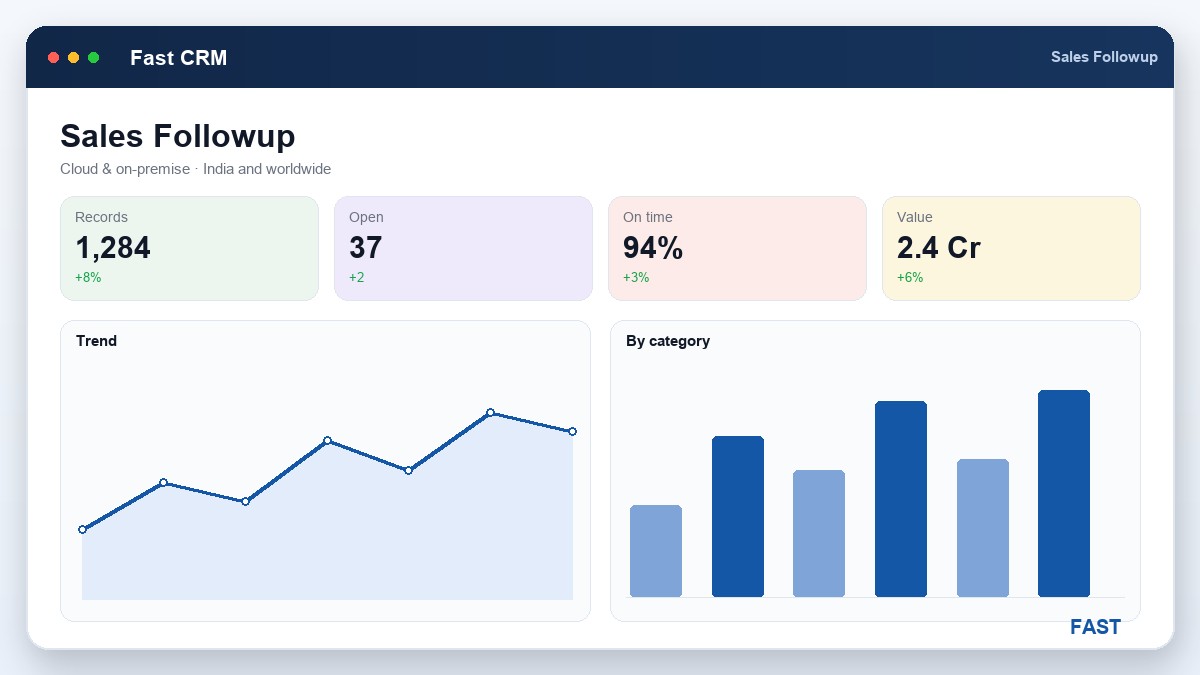
The foundation is a set of follow-up dashboards, one per pipeline stage, so a salesperson always knows exactly what is open and where. A lead is chased differently from a sent quotation, which is chased differently from an order in progress — so each stage gets its own working list rather than everything piling into one undifferentiated queue.
| Dashboard | What it chases | The follow-up goal |
|---|---|---|
| Lead follow-up | Open leads not yet qualified | Qualify or drop — turn into an enquiry |
| Enquiry follow-up | Enquiries awaiting feasibility or estimate | Move to a quote before the customer cools |
| Quotation follow-up | Sent quotes awaiting a decision | Chase to a yes, a no, or a revision |
| Order follow-up | Confirmed orders in progress | Keep the customer informed to delivery |
| Payment follow-up | Outstanding payments after the win | Collect the cash on schedule |
The important design point is that this is one screen driven by stage, not five disconnected tools — the same follow-up discipline applied to leads, enquiries, quotations and orders, so a salesperson works down the pipeline in one consistent rhythm. It all lives in follow-up & Customer 360.
3. Next-action dates and ageing — make the list work itself
A dashboard is only useful if it can tell you what to do now. Two fields make that possible on every open item: a next-action date and its ageing. Together they turn a static list into a self-sorting queue.
- Not "follow up soon" — a committed date for the next touch
- Set it at the end of every call, so the next step is never undefined
- The dashboard then shows exactly what is due today, and what is overdue
- Sort open quotes and enquiries by time since last contact
- The oldest untouched item is the one most at risk of going cold
- Ageing makes neglect visible instead of silent
- An item that is genuinely lost should be regretted, not left open
- A clean pipeline reflects reality, so the live list is trustworthy
- Regretted items stay in the analytics for source and conversion reporting
The habit this builds is powerful: a salesperson opens the dashboard each morning to a worked list — everything due today, sorted by risk — rather than a memory test. The system does the remembering; the person does the selling.
A quote that has not been touched in two weeks is not yet lost — but it is on its way. Ageing surfaces it while there is still time to act, which is the whole difference between a chased pipeline and a leaking one.
4. Task allocation and a shared kanban board
Follow-up actions that live only on a dashboard still depend on the individual who owns them. To make follow-up survive people — travel, leave, resignation — the actions themselves become tasks: allocated, prioritised, dated, and visible to the whole team on a shared board.
- Each follow-up action is a task with a priority
- A due date and a named owner
- Linked to the customer, enquiry or order
- Drag tasks across To-do, In-progress, Done
- The whole team and the manager see the same board
- Stalled work is obvious at a glance
- Tasks and follow-ups shown on a calendar
- All-user status so a manager can balance load
- Nothing due falls between the cracks
- Task dashboards and graphs by owner and status
- Sales targets tracked against activity
- Reassign a leaver's open tasks in one place
The payoff is continuity. When a salesperson is on the road or leaves the company, their open follow-ups are not lost with them — they are visible on the board and can be picked up by a colleague. A manager can balance load, spot the stalled tasks, and coach where work is piling up. This is the tasks, calls & activities module, and every task links back to a customer, enquiry or order so it is never an orphan to-do.
5. Telecalling, call planning and field-visit plans
For teams whose day is calls and visits, the follow-up structure has to reach down to the individual action. Two planning tools do that.
- Today's calls and pending calls are listed for each caller
- Click-to-dial launches the call from the list — no re-keying numbers
- Each call records an outcome — interested, not interested, transfer, call again
- A visit plan lists client, location and activity with a priority — high, medium, low
- The field salesperson works a planned route, not an ad-hoc day
- A visit report captures what happened, back on the customer record
The principle is the same as the dashboard: convert intention into a worked list. A morning of telecalling should be a queue you move through, and a day in the field should be a planned set of visits — each with its next action captured on return. Click-to-dial and automatic call logging are provided by cloud telephony and IVR.
6. Log every call — build the history automatically
The quiet superpower of good follow-up is a complete conversation history on every customer. When the next call, or the next salesperson, can see exactly what was last discussed and agreed, the relationship advances instead of restarting. The trick is that logging must be effortless, or it will not happen.
- Automatic capture. With cloud telephony and click-to-dial, the call is logged against the customer and the relevant enquiry or order without anyone writing it up — who called, when, and the outcome.
- Notes on the document. A follow-up note is attached to the enquiry, quote or order it concerns, so the context travels with the deal, not in a private notebook.
- One customer view. Every call, note, quote and order rolls up into the Customer 360 record, so anyone picking up the account sees the whole story.
This is what makes handover painless and coverage real. A customer never has to re-explain themselves, and a manager can review call outcomes to see which conversations are advancing and which are stuck. The history lives on the party record in follow-up & Customer 360.
7. Payment follow-up — the last stage of the same pipeline
Winning the order is not the finish line; the cash is. Yet payment follow-up is often orphaned — treated as a separate accounts problem, chased late and inconsistently, so money that was earned sits uncollected. The best practice is simple: treat payment follow-up as the last stage of the same follow-up discipline that won the order.
| # | After the win | The follow-up action |
|---|---|---|
1 | Order delivered | The order moves to its payment stage; the outstanding amount appears on the payment follow-up dashboard. |
2 | Next-action date set | A committed date for the next payment reminder — the same discipline as chasing a quote. |
3 | Reminders sent | Calls and reminders go out on schedule, logged against the customer, until the payment lands. |
4 | Cash collected | The loop from enquiry to money-in-the-bank is closed, on one customer record. |
Because it is the same pipeline and the same customer record, the salesperson who built the relationship can chase the payment with full context — not a cold accounts email, but a continuation of the conversation. Payment follow-up runs on its own dashboard alongside the sales stages in follow-up & Customer 360.
8. How Fast CRM Software implements disciplined follow-up
Fast CRM Software, built in Pune by Improsys under the Fast Technology brand, turns every habit above into a real workflow — cloud or on-premise, for manufacturers of every kind across India and worldwide:
| Follow-up discipline | How Fast CRM Software does it |
|---|---|
| Stage-wise dashboards | One follow-up screen driven by stage chases open leads, enquiries, quotations and orders, so each pipeline stage has its own worked list. See follow-up & Customer 360. |
| Next-action & ageing | Every open item carries a next-action date and shows its ageing, so the dashboard surfaces what is due today and what is going cold. |
| Tasks & kanban board | Follow-up actions become allocated tasks with priority and due date, moved across a drag-and-drop board and shown on a team calendar. See tasks, calls & activities. |
| Call & visit planning | Today's and pending calls with click-to-dial and outcomes, plus prioritised field-visit plans with visit reports. |
| Call logging | Cloud telephony logs each call automatically against the customer and document; notes attach to the enquiry, quote or order. See telephony & IVR. |
| Payment follow-up | Outstanding payments after the win are chased on a dedicated dashboard, closing the loop to cash — with Dhruv AI for plain-English questions over follow-up and call data. |
Make follow-up a structure, not an act of memory.
Fast CRM puts every open lead, enquiry, quote and order on a stage-wise dashboard with a next-action date and ageing; turns follow-up actions into allocated tasks on a shared board and calendar; plans and logs calls and visits automatically; and chases payment after the win — all on one customer record, so a long cycle survives travel, leave and handover.
9. Frequently asked questions
Put your own pipeline on a follow-up structure
A 30-minute demo on your open enquiries and quotes — stage-wise dashboards, next-action dates, a shared task board, call planning and payment follow-up. No generic slideshow.